For karaoke hosts · Windows & Mac

Run the whole show from one window.

Trick.Player is the karaoke host app from trick.social. Requests arrive from singers' phones, the rotation runs itself fairly, every track sounds its best and the venue screen puts on a show. You get to do the fun part: run the room.

Early access · free · version 2026.11.12 · install notes

Trick.Player
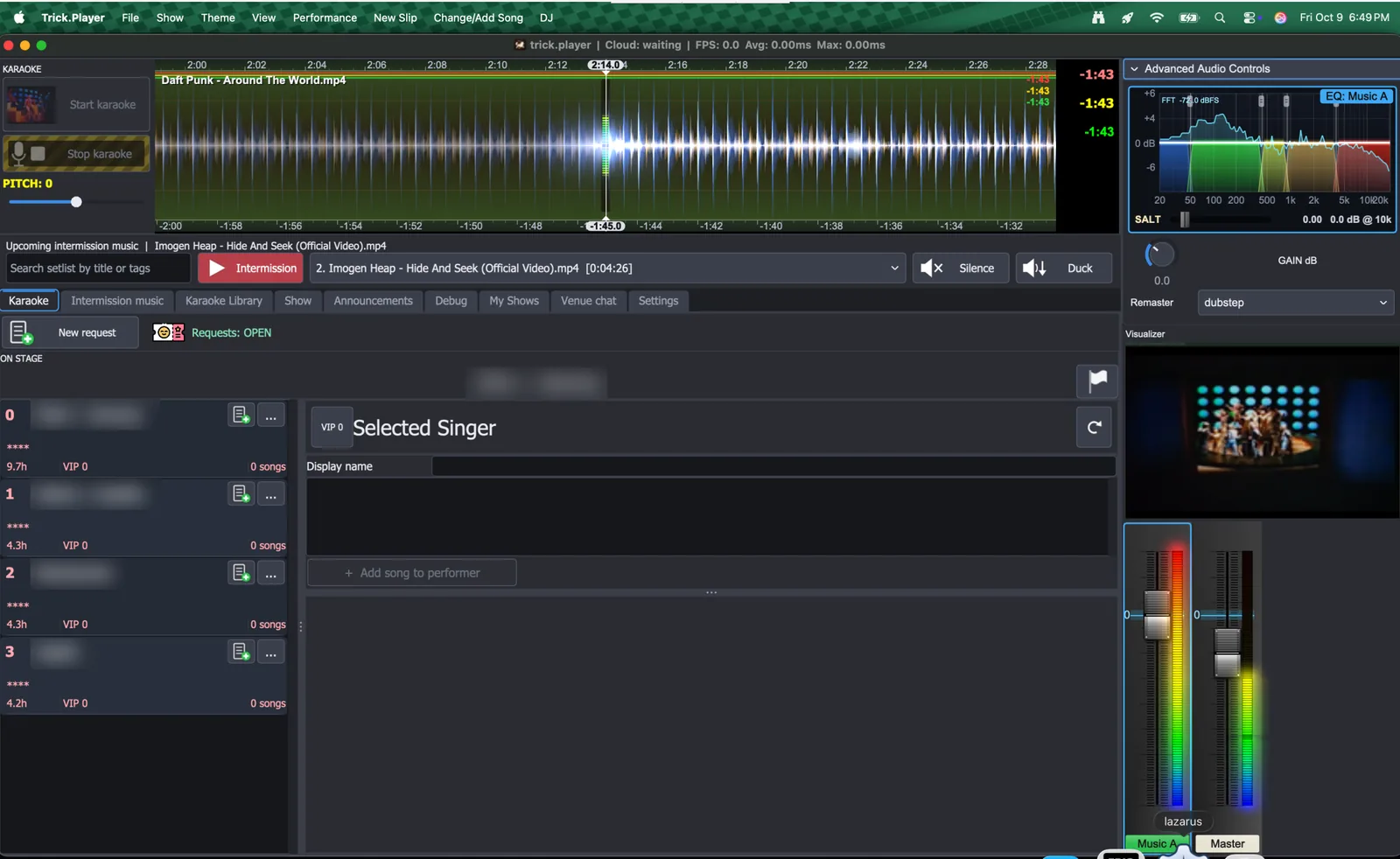
The Trick.Player console: two decks with waveforms, the rotation and the mixer

Your night, handled

Everything a karaoke host juggles, in one app.

No slips, no binders, no arguing about who's next. Trick.Player has been running real shows in Twin Cities bars every week since 2023.

✆

Requests from every phone

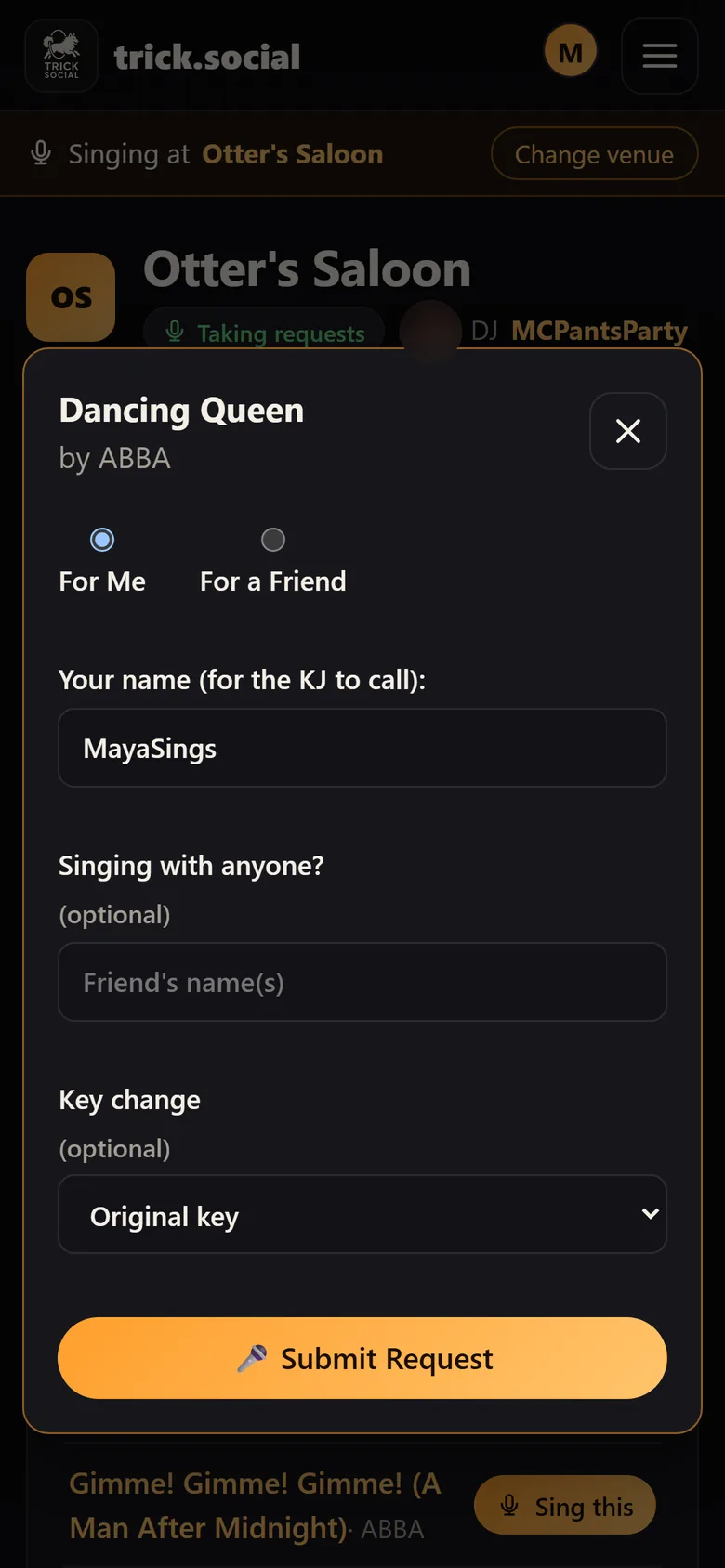
Singers request on trick.social from their table, for themselves or a friend, with a duet partner and their key. It lands in your rotation within 30 seconds. Walk-ups still welcome: add them by hand.

⇅

A rotation nobody argues with

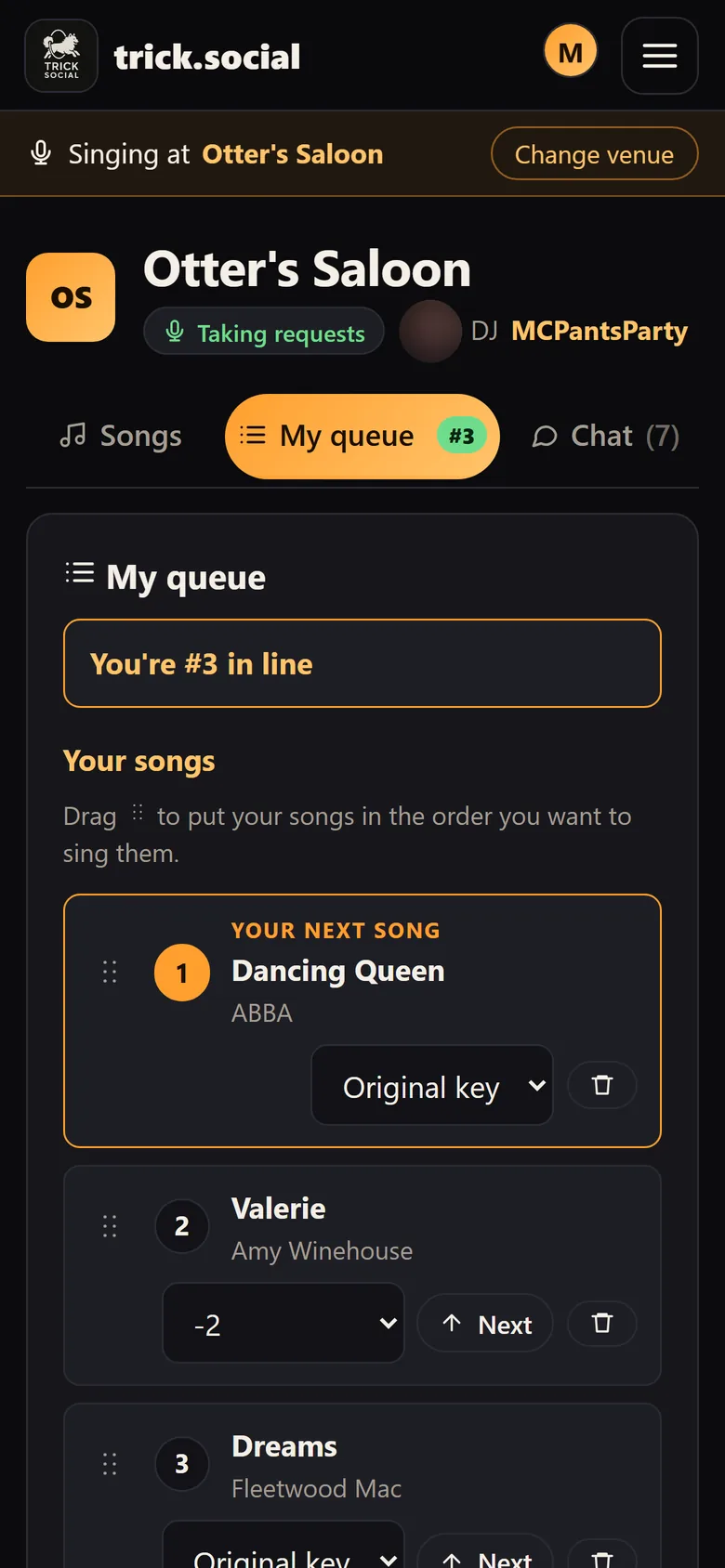
Ordered by time waited, with VIP levels, no-show push-back and strike-outs, and the current singer locked on stage. An AI fairness assistant keeps a busy night honest, and every singer sees their place on their phone.

◉

Rescues bad tracks

One-click real-time remastering matches a muddy or quiet karaoke track to a reference sound while it plays. Plus a five-band EQ with a live spectrum and a room "absorption" control.

✦

AI stems on your own tracks

Split a karaoke track into vocals, drums, bass and the rest, each on its own fader: turn down the backing vocals, bring up the bass, fix the mix live.

♯

Every singer's key

−12 to +12 semitones, chosen by the singer or by you, carried on the request and applied when the song loads.

◎

No dead air

Intermission music plays itself from your setlist between singers. Duck and Silence buttons, crossfades between videos and a "technical difficulties" loop for when you need a minute.

☁

Your library, everywhere

Each karaoke folder becomes a song book singers can search on trick.social. Songs that aren't on this laptop download from your cloud library on demand. Plug in a USB drive mid-show and its songs join the show.

⚑

A song book that cleans itself

Files are matched to real songs automatically, with AI for the hard cases. Misfiled tracks (wrong song, artist and title swapped) get caught, and you can flag one in a tap.

↻

Picks up where it left off

If the laptop restarts mid-show, Trick.Player goes straight back to the running show and reloads the rotation. No questions asked.

Plays: CD+G (MP3+G as a zip or a pair), MP4 and WMV karaoke. Intermission music can be audio (MP3, FLAC, OGG…) or video (MP4, MKV, WebM, MOV…).

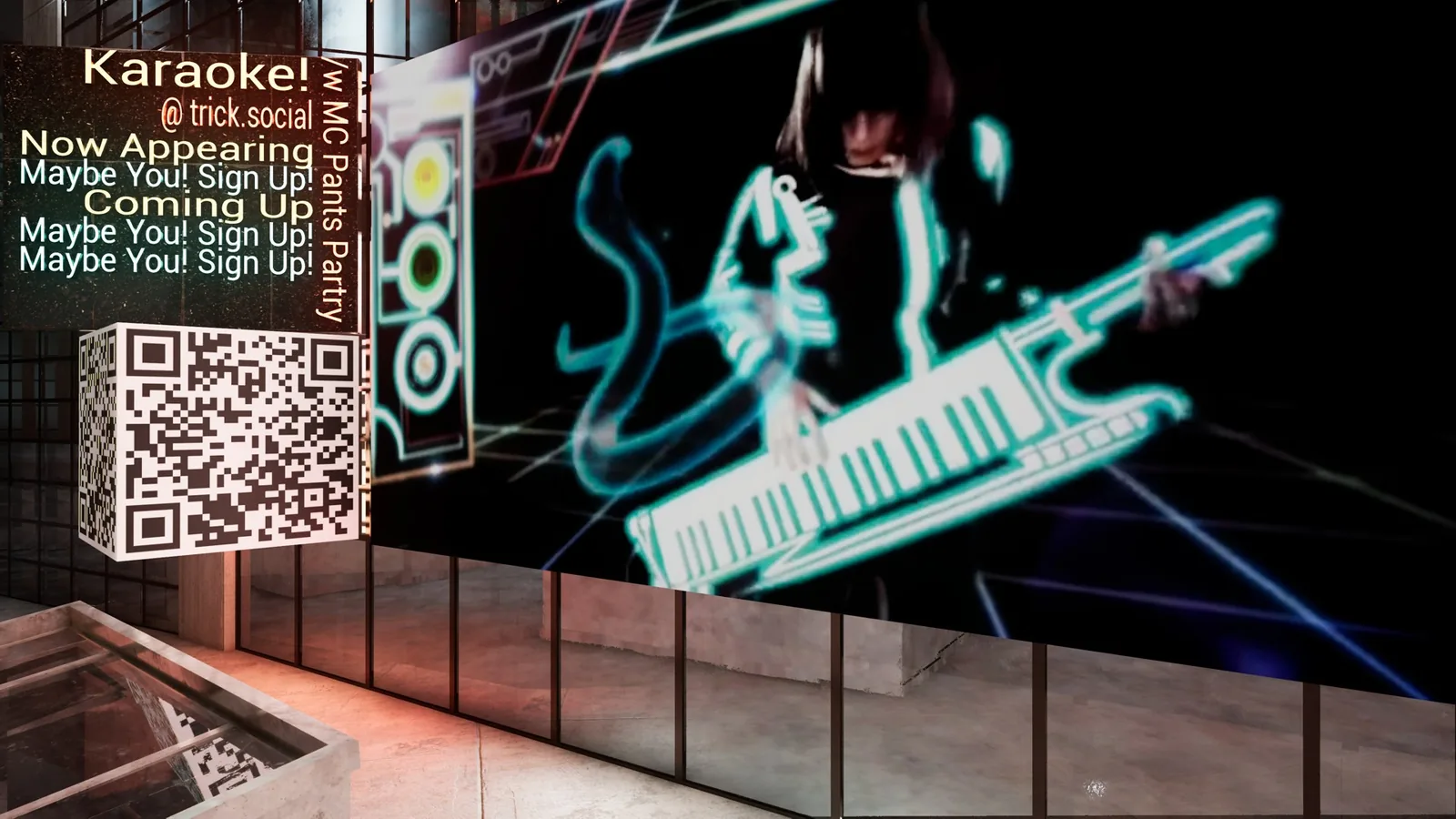
The venue screen: a 3D neon sign reading Karaoke! @ trick.social
The venue screen: now appearing, coming up and a sign-up QR code in a 3D city

The venue screen

The big screen puts on a show.

Trick.Player drives the TV or projector: synced lyrics, CD+G and music videos, who's singing now and who's next, announcements, and a sign-up QR code so everyone in the bar can join.

  • Visualizers to choose from. Install new looks from the in-app marketplace, from clean lyrics to full 3D worlds.
  • Real-time 3D. Run an Unreal Engine world with the line-up and videos in the scenery.
  • Build your own. Development kits for Unreal and Unity let artists and studios make venue-screen worlds that react to the show.
  • Lights that follow the show. Built-in DMX lighting control moves the room's lights with the music.
  • Audio-only songs still look good. A beat-reactive visualization fills in when there's no video.

Works with trick.social

Your singers are already holding the remote.

Singers open trick.social on their phones, with nothing to install. They find your show, search your song book, request from their table and see when they're up. You see the room's chat right in the app (on Windows).

  • Your regulars follow you. Singers can follow their host and see where you're singing next.
  • Running a karaoke company? Guilds on trick.social give multi-host companies crew roles, show scheduling by venue, day and host, and analytics for every room.
  • Find the venue in seconds. Venues are listed nearest first, and you can add one that isn't on trick.social yet.
Request sheet on a phone: for me or a friend, singing with, key change
A singer's queue on a phone: You're #3 in line

Download

Get Trick.Player.

Early access, free. Version 2026.11.12. After installing, sign in with your trick.social host account, tell it where your karaoke files are and pick your show.

During early access the download asks for a host login. Email player@trick.social and we'll send you one.

⊞ Windows

Windows 10 or 11, 64-bit

Download installerTrick.Player-2026.11.12-windows-x64-setup.exe · 89 MB
  1. Run the installer. It installs just for you, no administrator needed, and adds Start menu and desktop shortcuts.
  2. The installer isn't code-signed yet, so Windows may show "Windows protected your PC". Click More info, then Run anyway.
  3. Uninstall any time from Settings › Apps.

SHA-256 d14cf3b3a86f3bdc9c0d1969d6eeb6783bf3f5acee3cbdb50c49a94dda0a957c

⌘ Mac

macOS 11 or later, Apple Silicon (M1 or newer)

Download disk imageTrick.Player-2026.11.12-mac-arm64.dmg · 58 MB
  1. Open the disk image and drag TrickPlayer onto Applications.
  2. It isn't notarized by Apple yet, so the first launch is blocked. Open System Settings › Privacy & Security and click Open Anyway.
  3. Install FFmpeg, which plays MP3+G and video: get Homebrew, then run brew install ffmpeg in Terminal.

SHA-256 6b906763cab088c1aa9b0e75627835b64ed53d42580c2ddcc24c95ab534d4ac6

You'll also want a second display (a TV or projector) for the venue screen, and an internet connection for phone requests, the cloud library and AI stems. Third-party notices.

FAQ

Good questions.

Do I need licences to run karaoke?

Use karaoke tracks you're licensed to play in public: tracks bought for commercial use, or a commercial karaoke subscription. The venue covers the public-performance licences for the songs themselves (ASCAP, BMI, SESAC and GMR). Trick.Player plays your library; it doesn't sell or supply tracks. Licensed catalogue integrations are coming soon.

What does it cost?

Nothing during early access.

Do my singers need an app?

No. They use trick.social in their phone's browser. The venue screen shows a QR code that takes them straight to your show.

Does it work without the internet?

Your local songs keep playing, but phone requests, the cloud library and AI stems need a connection.

Is there a Mac version for Intel Macs?

Not yet: the Mac app runs on Apple Silicon (M1 or newer).

Where do I get help?

Email player@trick.social.